ResourceType
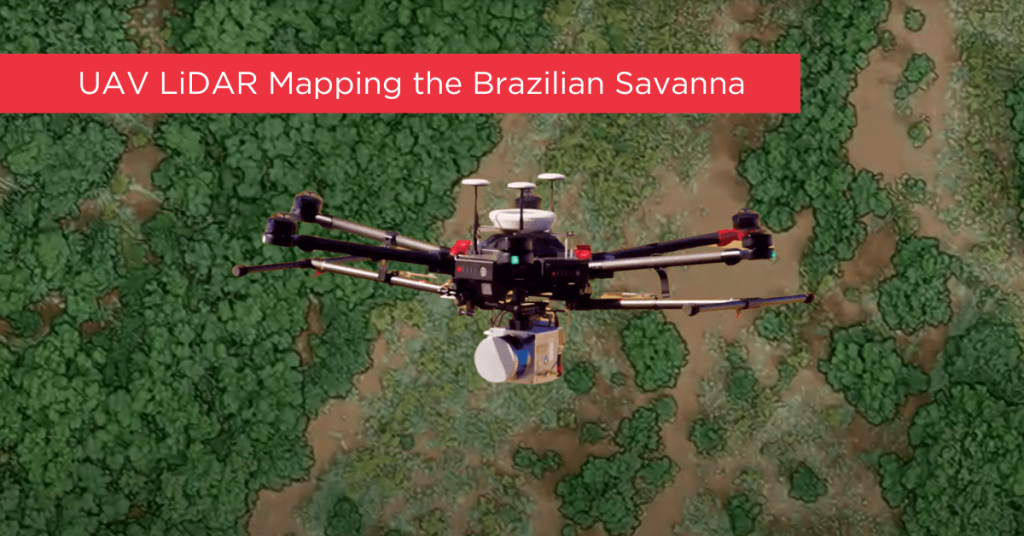
Tropical savanna ecosystems play a critical role in the global carbon cycle, but their ability to store and sequester carbon is uncertain due to the combined effects of anthropogenic activities and climate change. This study explores the potential of UAV LiDAR technology for accurate 3-D mapping of aboveground biomass (AGB) in the Brazilian Savanna (Cerrado).
By assessing five regression models using field sample plots, the research identifies the most effective model for estimating AGB across forest, savanna, and grassland formations. Results indicate that UAV LiDAR can significantly enhance biomass estimation, with notable accuracy across different vegetation types, although further development is needed for grassland biomass estimation.
These findings provide essential data for carbon emission mitigation strategies and support integrated fire management in tropical savanna ecosystems.
Understanding LiDAR
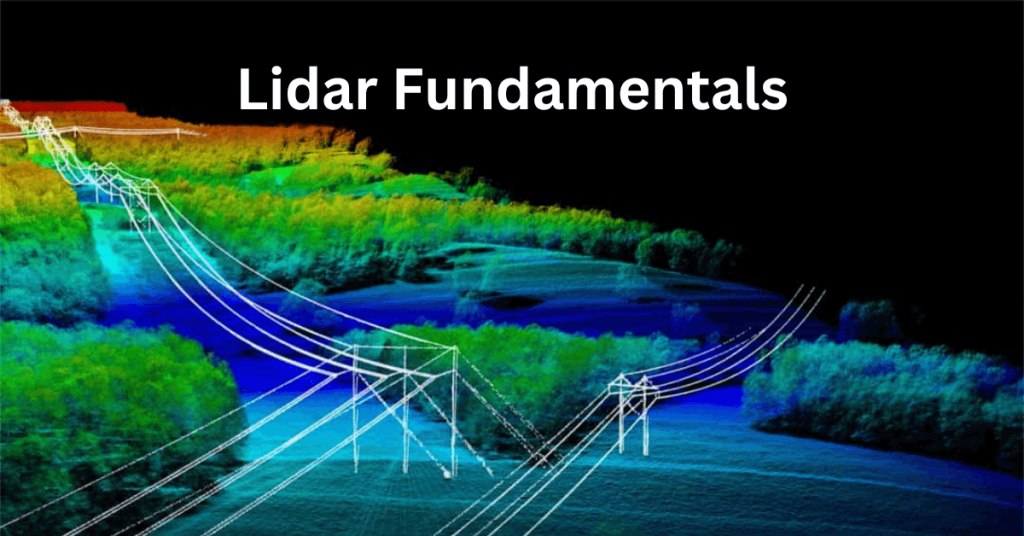
LiDAR 3D mapping is a versatile technology that surpasses passive sensing methods like photogrammetry by penetrating vegetation and operating effectively in low-light conditions. As a more applicable and user-friendly technology, LiDAR provides data that is quicker and easier to process. Phoenix LiDAR’s aerial solutions enable faster and more consistent area scanning compared to traditional ground scanning technologies, whether terrestrial or mobile mapping methods are used.
This section is designed to educate our customers and the public about LiDAR, highlighting the unique and innovative aspects of our solutions for a wide range of applications. Discover how Phoenix LiDAR sets the standard for efficiency and accuracy in 3D mapping.
LiDAR, short for Light Detection and Ranging, is an advanced remote sensing technology used across a wide range of applications. Utilizing pulsed laser light, LiDAR measures distances through vegetation to the Earth’s surface, capturing precise surface data by calculating the time it takes for the laser pulses to return to their source.
To operate effectively, LiDAR systems require four essential components:
- The LiDAR Unit: This device emits pulses of light and, when mounted on a UAV, scans a predefined swath below.
- GPS Receiver: Tracks the unit’s x, y, z coordinates for precise location data.
- Inertial Measurement Unit (IMU): Monitors the unit’s tilt in space to ensure accurate elevation measurements.
- Computer: Records and processes all transmitted data.
These light pulses, capable of producing multiple returns, are processed alongside other system data to generate highly accurate three-dimensional information about the scanned surface. This powerful combination of technologies makes LiDAR an invaluable tool for producing detailed and reliable 3D mapping data.
How Does LiDAR Work?
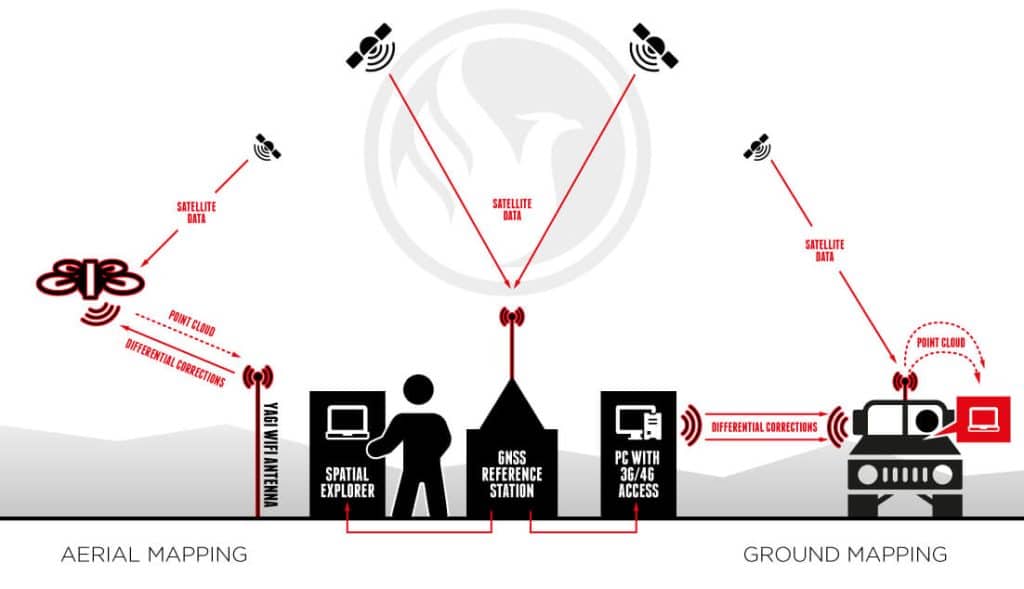
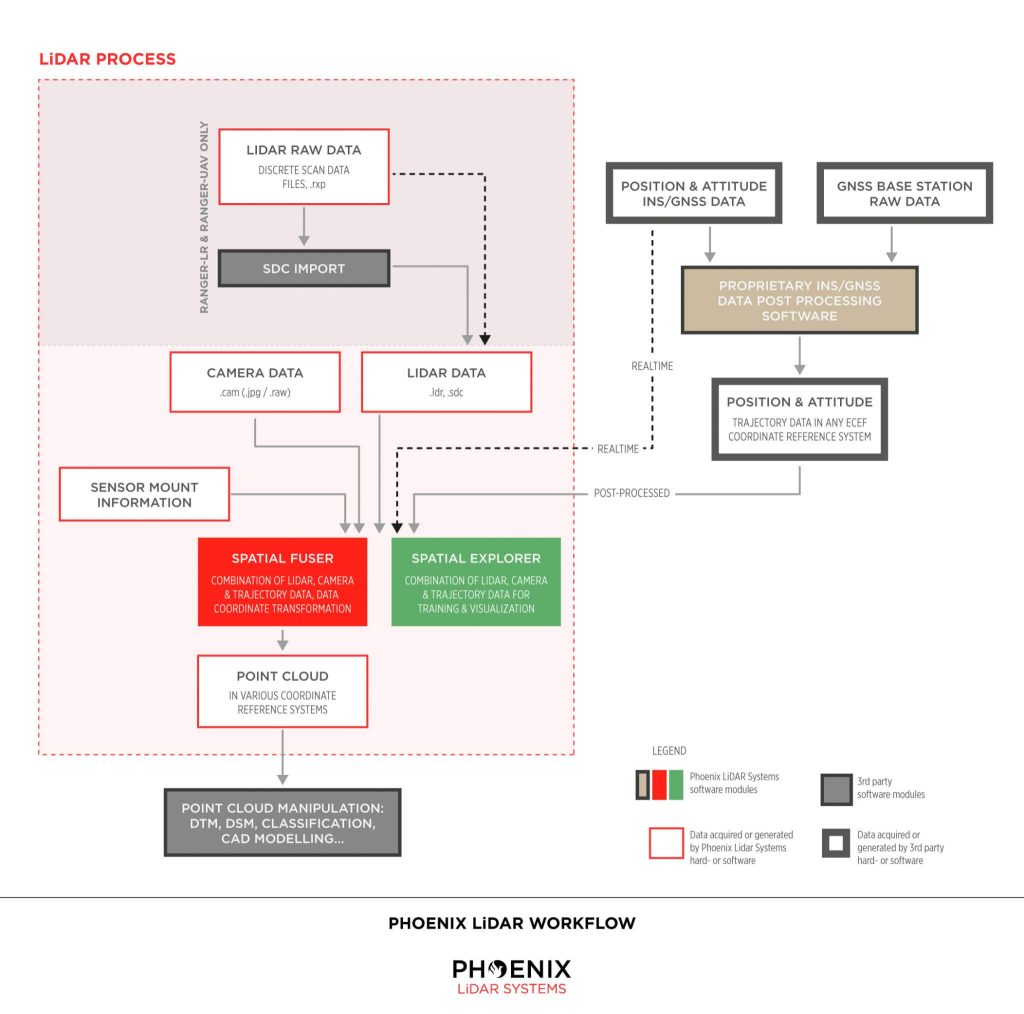
The technique we employ to achieve centimeter-level precision is Real Time Kinematic Global Navigation Satellite System (RTK GNSS). This system enhances the satellite signal’s carrier wave along with the information content, relying on a single GNSS reference station for real-time corrections. During short GNSS outages, the Inertial Navigation System (INS) steps in.
The INS uses a computer, accelerometers, and gyroscopes to continuously calculate the system’s position, orientation, and velocity. To combine these systems, a sophisticated algorithm called linear quadratic estimation (LQE) processes streams of noisy sensor data, producing an optimal estimate of the system’s position at any given time. By fusing this information with the LiDAR data, a point cloud is generated and visualized in real-time using Phoenix Aerial SpatialExplorer.
In scenarios where real-time corrections from the GNSS reference station are unavailable or prolonged outages occur, the third-party software Inertial Explorer™ can produce a precise trajectory in post-processing. Both real-time INS-generated trajectories and post-processed trajectories from Inertial Explorer™ can be fused with LiDAR data using Phoenix Aerial SpatialFuser to create point clouds in LAS format.
Phoenix Aerial LiDAR solutions are designed to attach to almost any vehicle, with flexible software to match. By separating sensor control from the user interface, multiple mapping options become possible:
Aerial Mapping Phoenix Aerial LiDAR solutions can be mounted on various vehicles such as UAVs, gyrocopters, and fixed-wing aircraft. Typically, the operator remains on the ground, connected to the GNSS reference station. Using Phoenix Aerial SpatialExplorer software, correction data is transmitted to the Rover via a long-range WiFi system. The Rover fuses this data in real time and transmits a down-sampled point cloud back to the operator.
Ground Mapping When traveling with the Rover in a car, boat, or ATV, the operator can connect directly to the Rover using WiFi or an ethernet cable. Correction data is transmitted from the GNSS reference station to the SpatialExplorer software via long-range WiFi or a public IP address (using 3G/4G). With an onboard 240 GB SSD hard drive, the operator can scan for up to 6 hours without needing to stop for data downloads.
Real-time Point Cloud Advantages Real-time point cloud visualization offers several key benefits:
- Immediate Results: Operators can instantly determine if the results meet expectations, avoiding the time-consuming and costly process of post-flight adjustments.
- Real-time Navigation: The growing point cloud can be visualized on a computer screen in real time, allowing the operator to identify unscanned areas and quickly alter the UAV’s course.
- Remote Collaboration: Through a 4G network, operators can share their screen with clients in real time to confirm or adjust the LiDAR point cloud.
Phoenix Aerial LiDAR solutions provide unparalleled flexibility and precision, making them an essential tool for various mapping applications. Whether for aerial or ground-based operations, our technology ensures high-quality, accurate data collection and real-time processing capabilities.
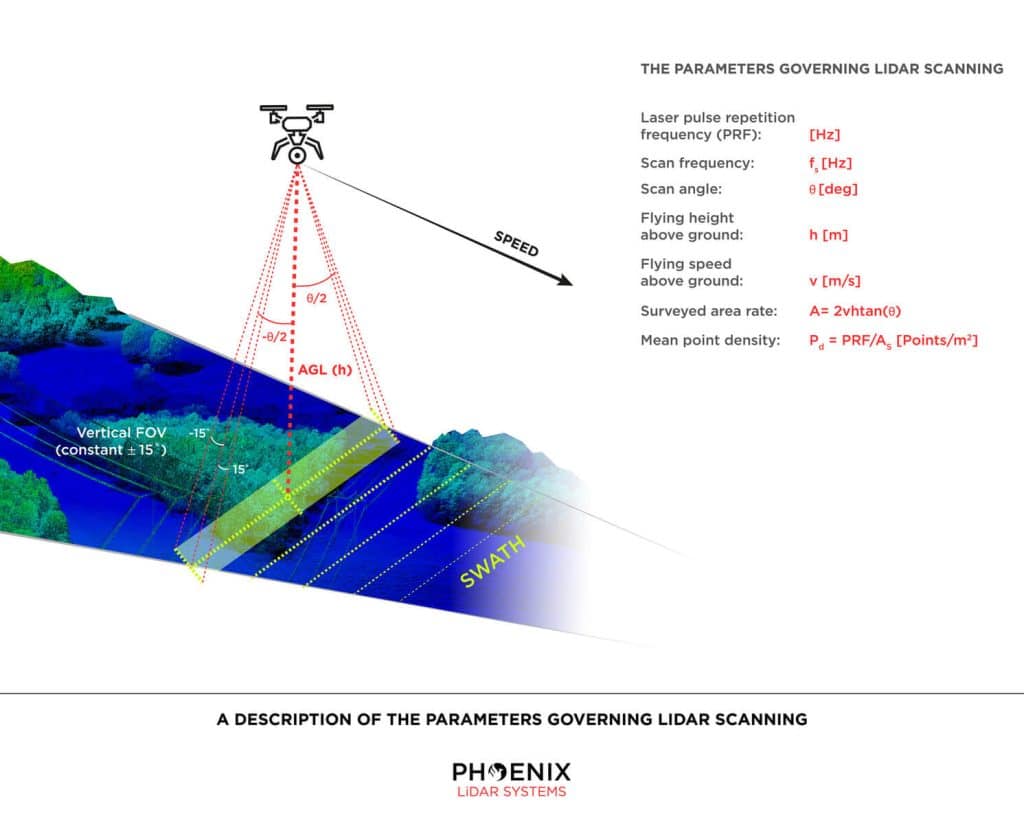
Parameters for LiDAR Scanning Via UAV
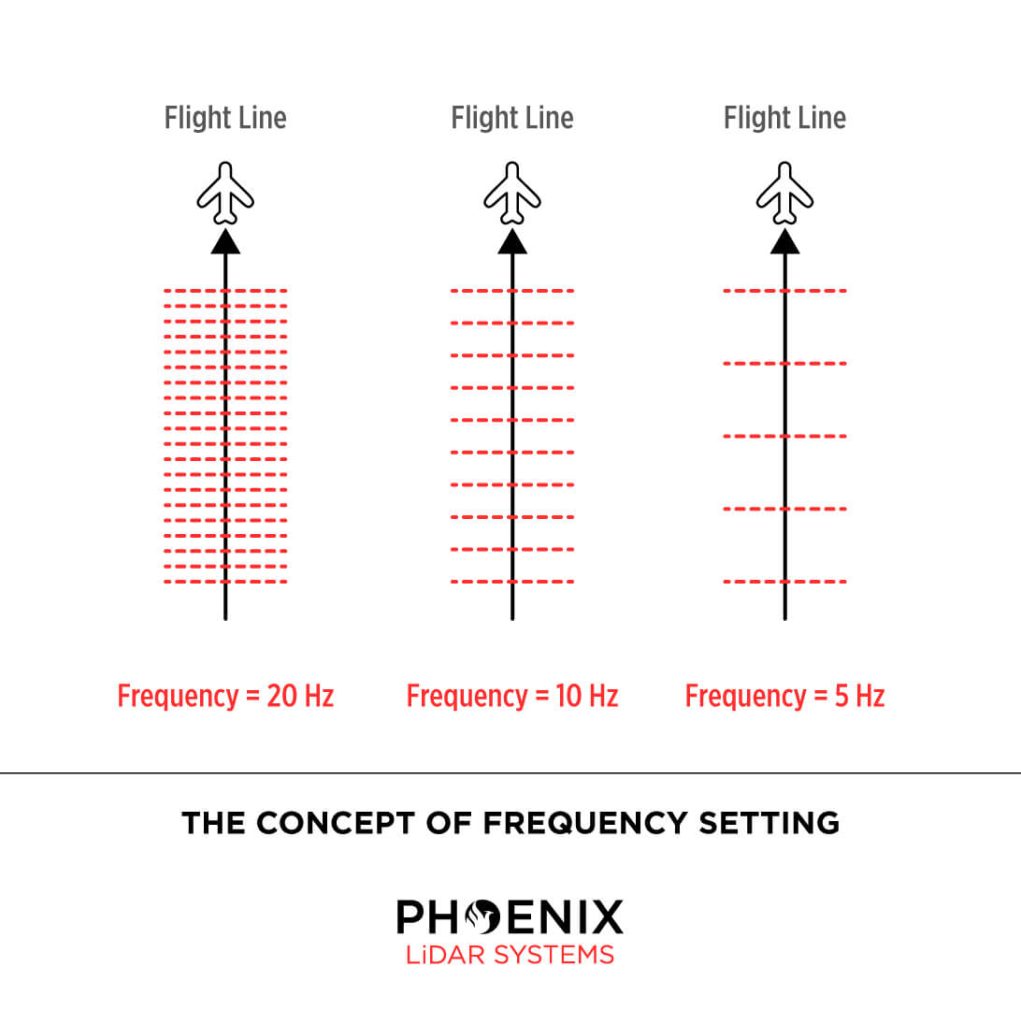
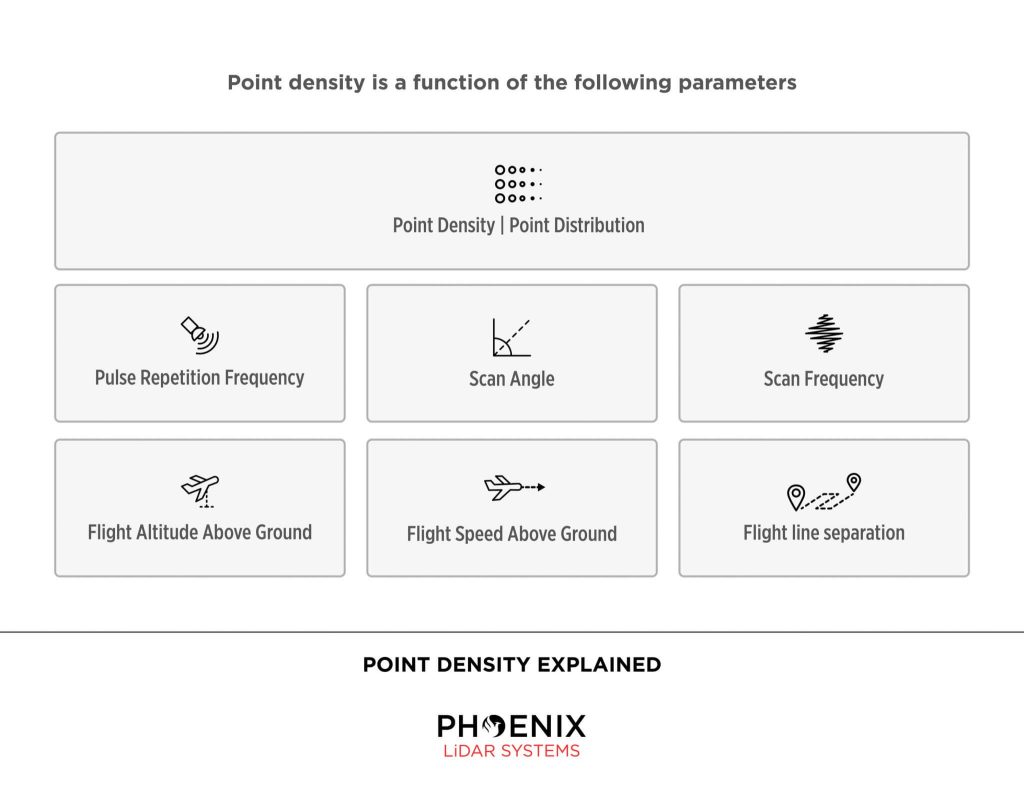
Phoenix LiDAR Systems builds systems meant for mobile mapping. Surveying from a moving object is accompanied by certain parameters an operator must take into account: speed, scan area, altitude, frequency, pulse rate, scan angle and point density all play an integral role in capturing data. Note that you will obtain a scan swath of varying ranges and densities depending on these parameters. Actual accuracy is dependent on GPS processing options (RTK, PPK, WAAS), ionospheric conditions, satellite visibility, flight altitude (AGL) and other factors.
Phoenix LiDAR Workflow
Real-time vs Post Processed
In RTK (Real Time Kinematic) mode, about 500 bytes of differential corrections are sent from the reference station to the rover about once every second. Applying these corrections, the rover is able to solve its position with centimeter-accuracy.
The differences between RTK mode and post-processing are:
- post-processing requires extra software
- post-processing does not require a real-time connection between reference station and rover
- post-processing will often compute more accurate results, especially in environments with bad satellite visibility (ground scanning)
- post-processing allows the user to better judge the solution’s accuracy
Need More Help?
We understand that LiDAR technology can be overwhelming. Don’t worry. We’re here to help. Contact us Monday – Friday, 9am – 5pm PST.
+1.323.577.3366

The Purpose of LiDAR
LiDAR (Light Detection and Ranging) is an advanced tool used for quickly, accurately, and densely measuring 3D features from the surrounding environment. As a form of remote sensing, LiDAR employs sensors to gather data on topography, vegetation, and other features across large areas, eliminating the need for physical measurements.
LiDAR sensors can capture hundreds of thousands of measurements per second, represented as a point cloud. This point cloud is crucial for various analytical processes, including distance measurements, volume computations, and 3D modeling.
How Does LiDAR Work?
LiDAR measures distance by emitting laser pulses and recording the time it takes for each pulse to travel to an object and reflect back to the sensor. Given the known speed of light, distance is calculated using the formula: distance = speed x time. Positioning and orientation sensors within the LiDAR system then convert these distance measurements into elevation data.
Position measurements are typically recorded once per second, while orientation measurements are taken between 125 and 400 times per second. These sensors are essential for accurately calculating the location and timing of each point collected by the LiDAR system.
In essence, a LiDAR system is an active remote sensing technology that emits laser pulses, captures the returned signals, and calculates the system’s position and orientation. This process produces a geospatially accurate 3D point cloud depicting the environment.
How Can LiDAR Measure the Ground Through Trees?
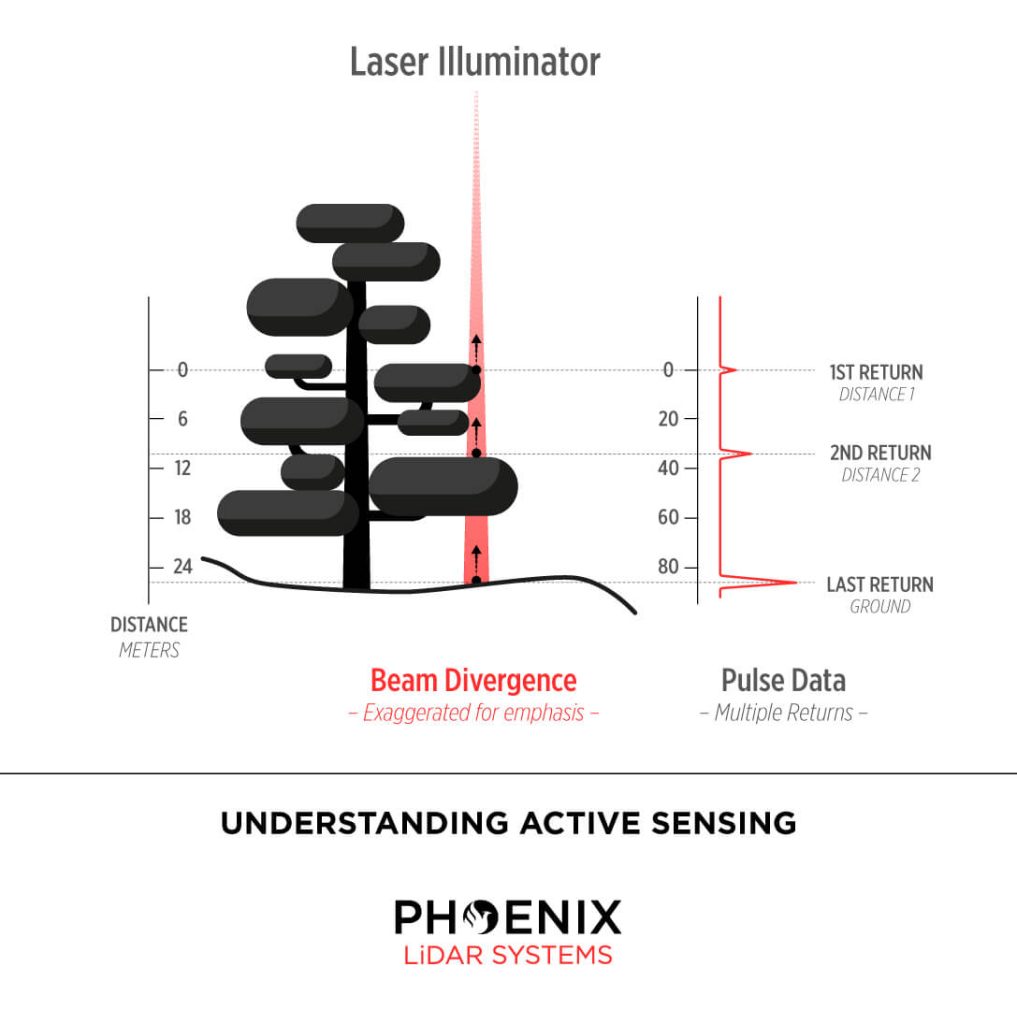
LiDAR operates by emitting laser pulses composed of light energy in the form of photon bundles. As these photons travel towards the ground, they encounter various objects such as buildings, trees, and vegetation. Some photons reflect off branches and return immediately to the sensor, while others pass through gaps in the foliage, striking lower branches or the ground before reflecting back.
This process, known as multiple returns, allows LiDAR to capture multiple reflections from a single pulse of light. The power of the laser and other factors determine the number of returns a LiDAR system can record. At Phoenix LiDAR Systems, some systems can record up to 15 returns, providing a true 3D representation of both vegetation and ground data.
Phoenix LiDAR Systems offers a range of high-performance LiDAR solutions capable of capturing detailed, accurate 3D data for a variety of applications.
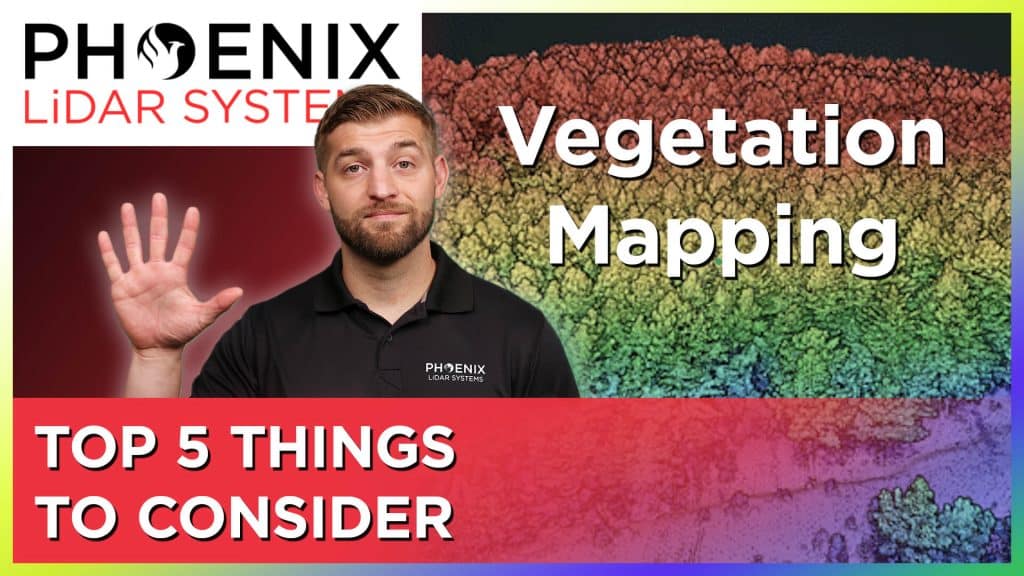
LiDAR Mapping Through Vegetation – 5 Tips You Should Know!
In this video by Kory Kellum from Phoenix LiDAR Systems, you’ll discover the five key considerations for using LiDAR in vegetation mapping. While photogrammetry can map bare Earth terrain, LiDAR excels in penetrating dense vegetation to accurately map the ground surface. The video highlights essential factors such as pulse repetition rate, vertical field of view, number of returns, laser wavelength, and beam divergence, explaining how each impacts the effectiveness of LiDAR systems in vegetated areas. Learn how to choose the right LiDAR sensor for your needs and enhance your vegetation mapping accuracy. Watch now for expert insights and tips on leveraging LiDAR technology.
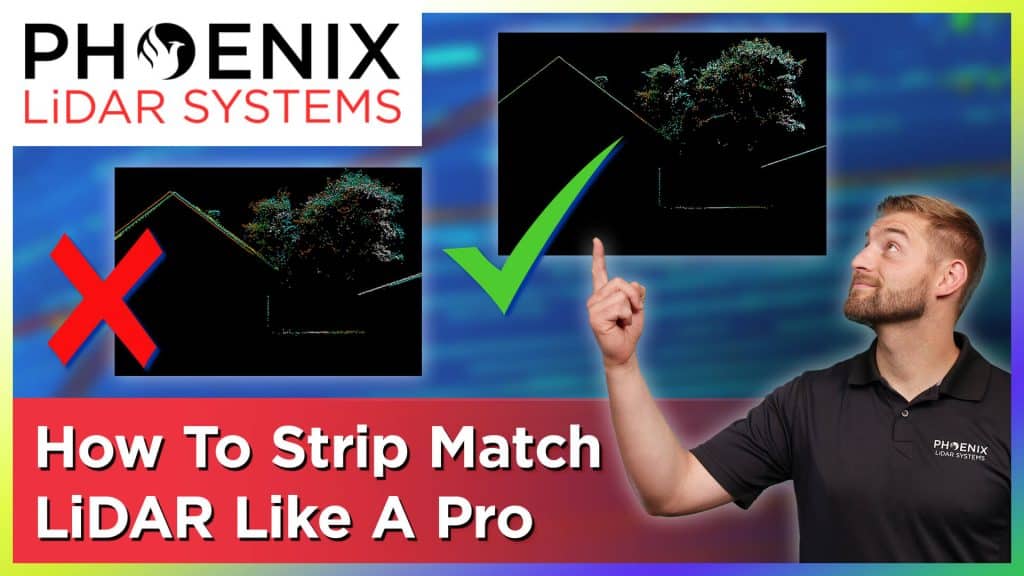
In this video, Kory Kellum from Phoenix LiDAR Systems provides a comprehensive guide on LiDAR strip matching, a crucial process for achieving high accuracy in LiDAR mapping. You will learn what strip matching is, why it’s essential, and the best practices for refining your LiDAR data to ensure precise alignment of overlapping strips.
Discover the common pitfalls with some LiDAR software and how to avoid them by using Phoenix LiDAR’s advanced tools like the LiDAR SNAP strip matching tool from SpatialPro. This video is perfect for anyone looking to enhance their LiDAR mapping accuracy and efficiency. Watch now to master LiDAR strip matching like a pro.

In this video, Kory Kellum from Phoenix LiDAR Systems provides an essential guide on LiDAR classification. In under four minutes, you will learn the fundamentals of LiDAR classification, including its definition, importance, and the best practices for classifying LiDAR data.
Kory explains how each LiDAR point within a point cloud can be assigned a classification code, allowing for easy differentiation between various features such as bare Earth ground and high vegetation. The video covers industry-standard classifications by ASPRS as well as custom classifications for specific project needs.
Discover the best methods for LiDAR classification, including automated, semi-automated, and manual processes, and see how tools like SpatialExplorer and LiDARMill can streamline your workflow. Enhance your understanding of LiDAR data and improve the accuracy of your classifications by watching this informative video.
In this video, Kory Kellum from Phoenix LiDAR Systems addresses a significant challenge faced by surveyors using aerial drone LiDAR systems: aligning LiDAR data with surveyed ground control in the correct coordinate reference system. Kory explains the common issues with low-quality LiDAR software, which often only provides basic options that fail to utilize geoid models for orthometric heights, leading to inaccuracies.
The video highlights the importance of processing LiDAR data using the correct coordinate reference system from the start, emphasizing the need for high-quality LiDAR software like Phoenix LiDAR’s, which offers extensive coordinate reference system options and advanced features. Learn how to achieve the best absolute accuracy for your LiDAR projects by watching this informative video.
In this video, Kory Kellum from Phoenix LiDAR Systems delves into the importance of accurate LiDAR colorization for creating digital twins. He explains the two main methods available: color draping from orthomosaics and ray tracing techniques. Kory defines key terms, such as orthomosaics, and discusses the pros and cons of each method.
Color draping, while straightforward, often miscolorizes vertical structures and objects. Ray tracing, on the other hand, offers more accurate LiDAR colorization but can be complex without proper tools. Kory recommends using Phoenix LiDAR’s SpatialExplorer and LiDARMill software for the best results, highlighting their advanced ray tracing, color balancing, and seam correction features. Watch the video to learn how to achieve the most precise colorization for your LiDAR projects.
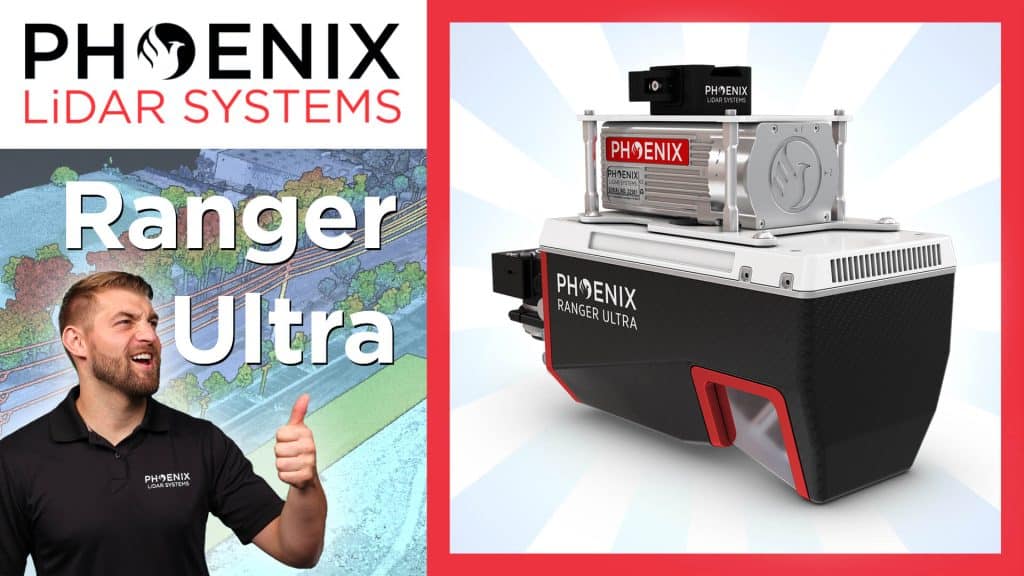
In this video, Kory Kellum from Phoenix LiDAR Systems introduces the Ranger Ultra, the ultimate corridor mapping system. The Ranger Ultra is the lightest payload in the Ranger series, combining lightweight design with high performance. It features a unique three-faceted mirror for improved mapping of vertical surfaces, a 100-degree horizontal field of view, and a fast measurement rate of up to 1.8 million pulses per second.
The Ranger Ultra is ideal for applications like power line, railway, and pipeline monitoring, topography, urban surveying, archaeology, agriculture, and forestry. With its powerful 1550 nanometer laser, it penetrates dense vegetation, providing high accuracy and point density.
The system is 37% lighter than the Ranger XL, extending UAV flight endurance without compromising performance. Suitable for both UAV and helicopter use, the Ranger Ultra ensures precise data collection for demanding aerial mapping projects. Watch the video to learn more about its specifications, performance, and how it can enhance your LiDAR projects.